

Framer vs Webflow vs WordPress
Choosing a platform to build a website is one of the most crucial decisions for any online project. Three names constantly come up in discussions: WordPress, the unassailable veteran; Webflow, the darling of designers; and Framer, the newcomer shaking things up. Each has its own strengths, weaknesses, and philosophy. So, which one to choose? This article compares these three giants to help you find the perfect tool for your project.

Joffrey Piccirillo

SEO
The SEO Match: Who Wins the Battle of Ranking.
Today, three giants share the market: WordPress, the undisputed veteran, and two modern challengers, Webflow and Framer. This guide aims to offer you an honest and detailed comparison, based on technical facts, to help you make the most informed choice for your project.
SEO is much more than just a question of keywords. The technical structure of your site is the foundation on which your entire strategy rests. A slow, poorly structured or insecure site will be penalised by Google, whatever your content efforts.
Here is a point-by-point analysis of the SEO potential of each platform.
Criteria | Framer | Webflow | WordPress |
|---|---|---|---|
Technical SEO | Very good. Automatically generates a sitemap, allows you to customise robots.txt and handles redirects well. The code is clean and optimised for speed | Excellent. Full control over sitemap, robots.txt, canonical tags, and redirects. The code is semantic and clean. | Variable. Heavily depends on |
Performance (Speed) | Excellent. Designed for speed. Sites are static and served via a global CDN, which guarantees very fast loading times | Very good. Sites are also served via a CDN. Performance is generally excellent, but can be affected by complex animations or large images. | Variable. Speed depends on |
On-Page SEO | Good. Allows customisation of title tags, meta description, alt text for images and heading structure (H1, H2, etc.) | Excellent. Full control over all aspects of on-page SEO, including custom fields for schema markup. | Very good. With an SEO plugin, you on |
Ease of Maintenance | Very easy. No plugin or theme updates to manage. Maintenance is almost non-existent | Easy. No plugin updates to manage, but you need to keep track of platform updates. | Complex. Requires regular updates to |
Administration | Very simple. The editor is visual and intuitive. Content management is simple for clients | Average. The interface is more complex than Framer, but remains simpler than WordPress. The CMS is powerful but requires a little training for clients. | Variable. Administration can |
Flexibility & Ecosystem | Average. The ecosystem is growing rapidly, but is still limited compared with Webflow and especially WordPress | Good. A rapidly expanding ecosystem with many integrations and an active community. | Excellent. The ecosystem is |
Core Web Vitals (CWV) & Page Speed.
Core Web Vitals (loading time, interactivity, visual stability) are a major ranking factor for Google.
Framer: Excellent. Sites are generated statically and served via a global CDN (server network). Optimisation is native and automatic. Achieving a Google PageSpeed score of 95+ is the norm, not the exception.
Webflow: Very good. Also benefits from a modern architecture with hosting on a CDN. The generated code is clean and optimised. Performance is excellent, although it can be slightly affected by complex animations.
WordPress: Mediocre to Good. This is the major weak point. Performance depends on a multitude of factors: the quality of the host, the chosen theme, the number of installed plugins, and the configuration of a cache plugin. Achieving a good CWV score requires expert work and ongoing optimisation.
Crawlability & Indexation.
Google must be able to "scan" (crawl) and understand your site easily.
Framer: Very good. The sitemap sitemap.xml is generated automatically and always up to date. The robots.txt file is clean and customisable. The structure is inherently simple and logical.
Webflow: Excellent. You have full and granular control over the sitemap, robots.txt, and the URL structure. It is very easy to de-index a page or define specific rules.
WordPress: Good. Management is done via an SEO plugin (e.g. Yoast or Rank Math). Control is good, but poorly coded plugins or themes can generate "parasite" URLs (archives, empty tag pages...) that dilute your SEO authority.
Schema Markup (Structured Data).
This invisible code helps Google understand the context of your content (an article, a product, an event...) to display rich results.
Framer: Basic. You have to add the code (JSON-LD) manually in the page settings. It is possible, but not assisted.
Webflow: Very good. Webflow's CMS allows you to structure content and generate Schema Markup dynamically, especially for blog articles or product pages.
WordPress: Excellent. This is one of WordPress's strengths. SEO plugins like Rank Math offer a very powerful, semi-automated interface for managing Schema across all content types.
Beyond SEO: Maintenance, Security and Cost.
A website is not a one-off project; it is a living asset. Ease of management and security are therefore criteria just as important as performance.
Criterion 1: Maintenance & Security.
Framer: None. Zero maintenance required on your part. Updates and security are handled entirely by the platform. You can focus on your business, not the technical side.
Webflow: Very low. Like Framer, Webflow is a closed, managed environment. No plugins to update, no risk of hacking through a third-party vulnerability. Peace of mind is total.
WordPress: High and constant. That is the main drawback. You are responsible for updating the WordPress core, your theme, and all your plugins. Every update carries a risk of incompatibility or bugs. Doing nothing is a major security risk (WordPress being hackers' number one target).
Criterion 2: Ease of management for the client.
Framer: Very easy. The content editor is incredibly simple and visual. It is designed so that anyone can change text or an image without any training and without any risk of "breaking" the design.
Webflow: Easy. The "Editor Mode" is specially designed for clients. It allows content to be edited directly on the page. It is very intuitive after a short 15-minute demonstration.
WordPress: Average. The WordPress administration interface can be intimidating for a beginner. Using a page builder (such as Elementor) can simplify things, but adds a layer of complexity and often slows the site down.
Criterion 3: Development speed & Design freedom.
Framer: Very fast. The ability to import a Figma mock-up directly and its component system make it the fastest tool for moving from idea to live site.
Webflow: Fast. Once you have mastered the tool, it allows you to build bespoke sites much faster than coding by hand, with almost infinite design freedom WordPress: Slow. Starting from scratch on.
WordPress is a long process: choosing and configuring hosting, installation, choosing a theme, selecting and configuring plugins…

The test of facts: Analysis of concrete sites.
Numbers speak louder than words. We analysed the technical performance (via Google PageSpeed Insights, mobile score) of three similar sites to illustrate these differences.
Warning:
The performance score is influenced by many factors. However, these examples clearly illustrate the "native" potential of each platform.
Example on WordPress.
The HubSpot blog, a marketing giant, uses WordPress for its blog. Despite a world-class technical team and near-unlimited resources for optimisation, their performance score is often a challenge.
Mobile Performance (PageSpeed) : 56 / 100.
Analysis: This shows that even with huge resources, achieving elite performance on WordPress is a constant battle because of its ageing architecture and the weight of third-party scripts.

Example on Webflow.
The Attentive.ai site Attentive.ai is a tech company with a content-rich, visually rich website built on Webflow.
Mobile Performance (PageSpeed) 88 / 100.
Analysis: Webflow makes it possible to combine rich design and complex interactions while maintaining an excellent technical performance base, something that is very difficult to replicate on WordPress.

Example on Framer.
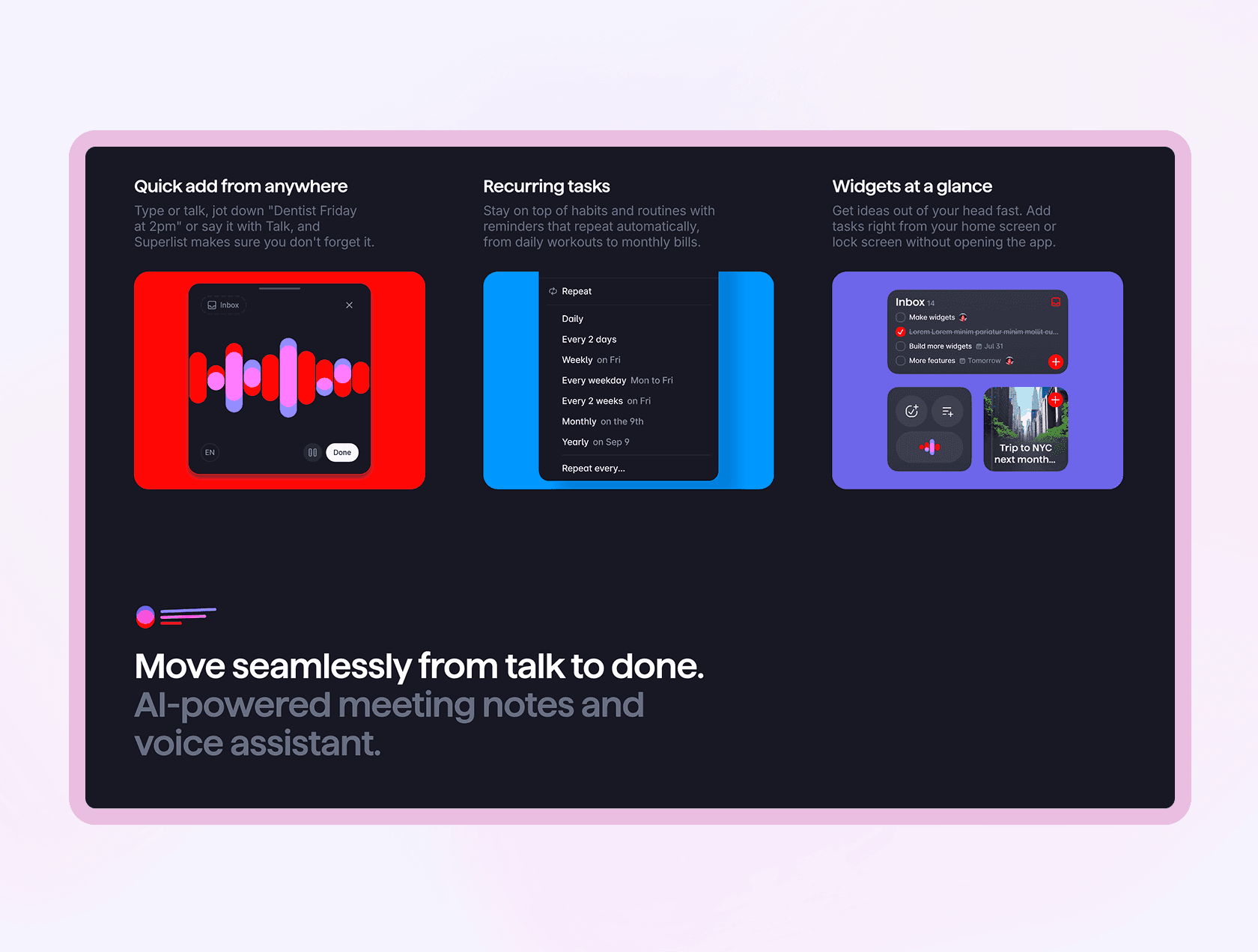
The Superlist site Superlist is a productivity app that uses Framer for its marketing site. The design is modern, with plenty of animations.
Mobile Performance (PageSpeed) : 99 / 100.
Analysis: This is a demonstration of Framer's strength. Even with an animated, demanding design, performance is almost perfect, out of the box. For Google, this site is a model student.
Our verdict: The proof by the project
You will have understood, if WordPress still retains an undeniable strength in its gigantic plugin ecosystem, this flexibility comes at a real cost: poor performance, constant maintenance and security risks. For 95% of projects, these drawbacks outweigh the benefits.
Our conviction is not theoretical; it is forged in our projects. When we had to migrate the Rubika school website and its hundreds of pages from an ageing WordPress, we proved that Framer could handle large-scale SEO challenges, with spectacular performance gains to match. And when Solarock needed an ambitious website delivered in record time, it was the power of Webflow that enabled us to keep that promise.
That is why our choice is clear:
For projects where speed, simplicity and raw SEO performance are the absolute priority (brochure sites, landing pages), Framer is the best solution.
For projects requiring total design freedom and a powerful CMS (complex business websites, platforms), Webflow is the choice of excellence.
Conclusion
Choosing Framer or Webflow is not just choosing a technology. It's choosing peace of mind, performance that delights your users (and Google), and a long-term investment for your business.