

The tool that decimated Sketch (4.5% market share) and put Adobe XD into palliative care.
The only tool where your designers, developers, and clients work on the same file. Simultaneously. Without conflict. Without annotated PNG export.

01
Sketch has dropped to a 4.5% market share. Adobe XD is in palliative care.
The mathematical reasons for our choice
01 /
Real-time collaboration, without friction
While your teams were waiting for a Sketch file to sync, Figma had already delivered 3 iterations. Everyone is working on the same file. Simultaneously. Without version conflicts.
02 /
Industrialized design systems
We do not create disposable mockups. We build reusable component libraries with variables, tokens, and variants. A change of colour spreads across 247 screens in 1 click.
03 /
Interactive prototypes that eliminate specifications.
Clickable wireframes, scroll animations, microinteraction transitions. Your developers understand the intent without reading 47 pages of specifications.
04 /
Dev Mode: handoff without simultaneous translation
Your developers open the file, inspect the CSS properties, copy the code. No PNG export with annotations. No 'I think it's 16px or 18px'.
05 /
Contextual comments (death to emails)
Your feedback goes directly to the relevant button. No Gmail thread saying 'on the product page, the blue button, not that one, the other one.'
06 /
Automatic version history
We do not create 'maquette_v8_final_VRAIFINAL.fig'. Figma saves every change. We can go back 3 days in 2 clicks.
02
In what cases do we draw [our weapon]?Figma ?
03
Why our teams useFigma ?
"Figma is my visual command terminal. I manage design systems like others manage servers.”

Justine L.
Designer
04
The features of Figma
01 /
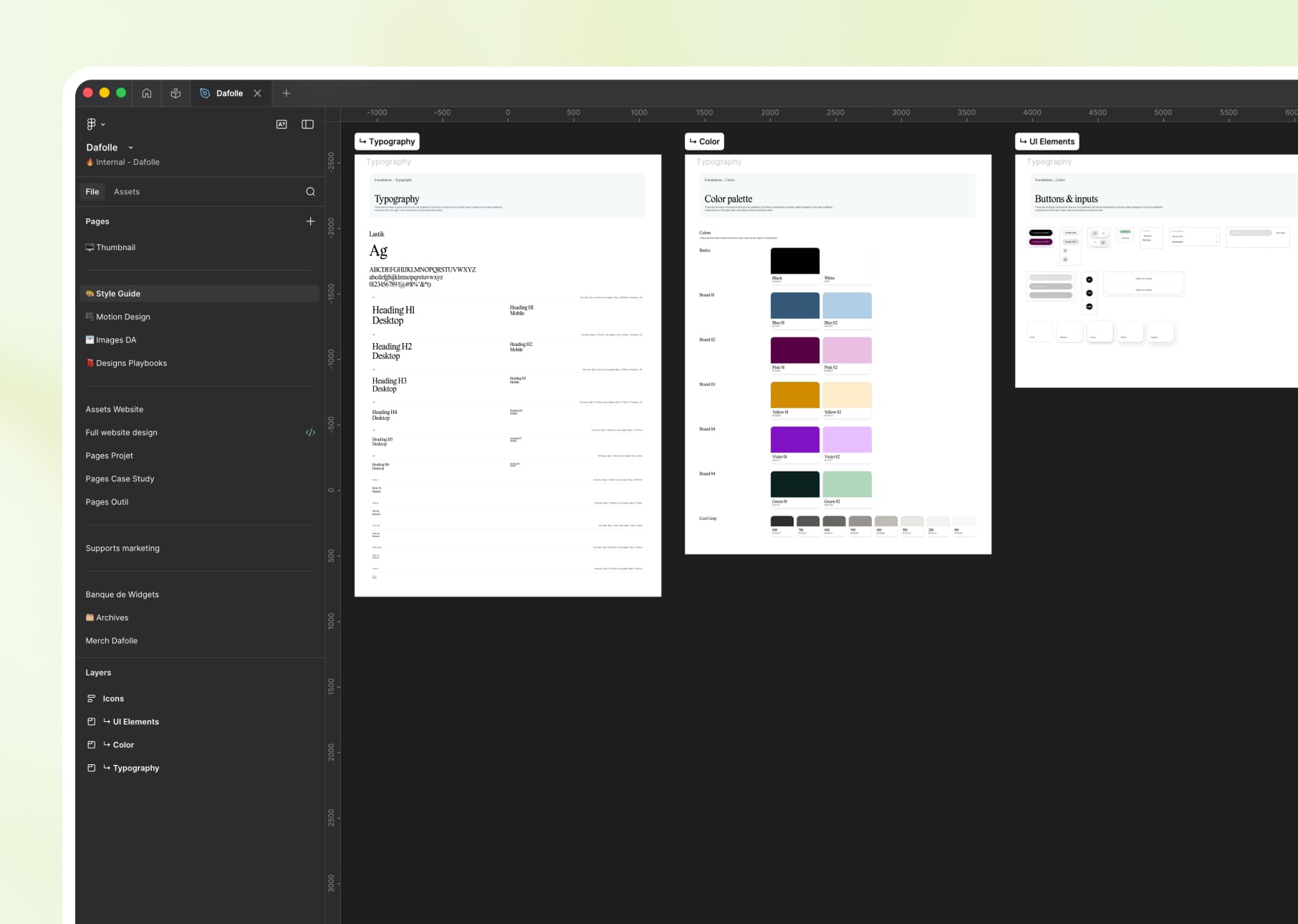
Figma Design: our daily canvas
Web interfaces, mobile apps, visual identities, wireframes. Everything starts from Figma. Total control over every pixel.
02 /
Figma AI & Code Connect: from design to code
Code Connect (launched in 2024) injects React/Vue snippets directly from Figma components. Developers can see how to use your design system in their codebase.
03 /
FigJam: brainstorming and remote workshops
We facilitate your UX workshops, customer journey mapping, co-design with your teams. Integrated collaborative whiteboards.
04 /
Figma Slides: custom presentations
We create your pitch decks and client presentations directly in Figma. Design controls + real-time collaboration. PowerPoint is a thing of the past.
05 /
Variables & Design Tokens: extreme scalability
We define your colours, spacing, radius, and typography as variables. Change one token, and your entire design system adapts. Instantly.
06 /
Library Analytics: measuring the adoption of the design system
Figma tells us which components are used and which are ignored. We optimize the system based on data-driven insights, not intuition.
Figmais not alone in our toolbox



































Figmafacing his cousins
We have done our research for you, and here is the verdict.
Criteria
Figma
Esquisse
Adobe XD
Real-time collaboration
Cloud-based (web access)
Advanced prototyping
Native Dev Mode
Variables & Design Tokens
Market share 2024

We anticipated your questions.
It is known that entrusting your design to an external team,
raises some questions. Here are our answers.
Can I view your Figma files without having an account?
Do you only deliver on Figma or also in PDF/Sketch?
Figma vs Framer: which one do you choose for my project?
Are you creating design systems or just mockups?
How long until I can access the Figma file?