

Adobe InDesign: 200 structured pages, 0 printing errors
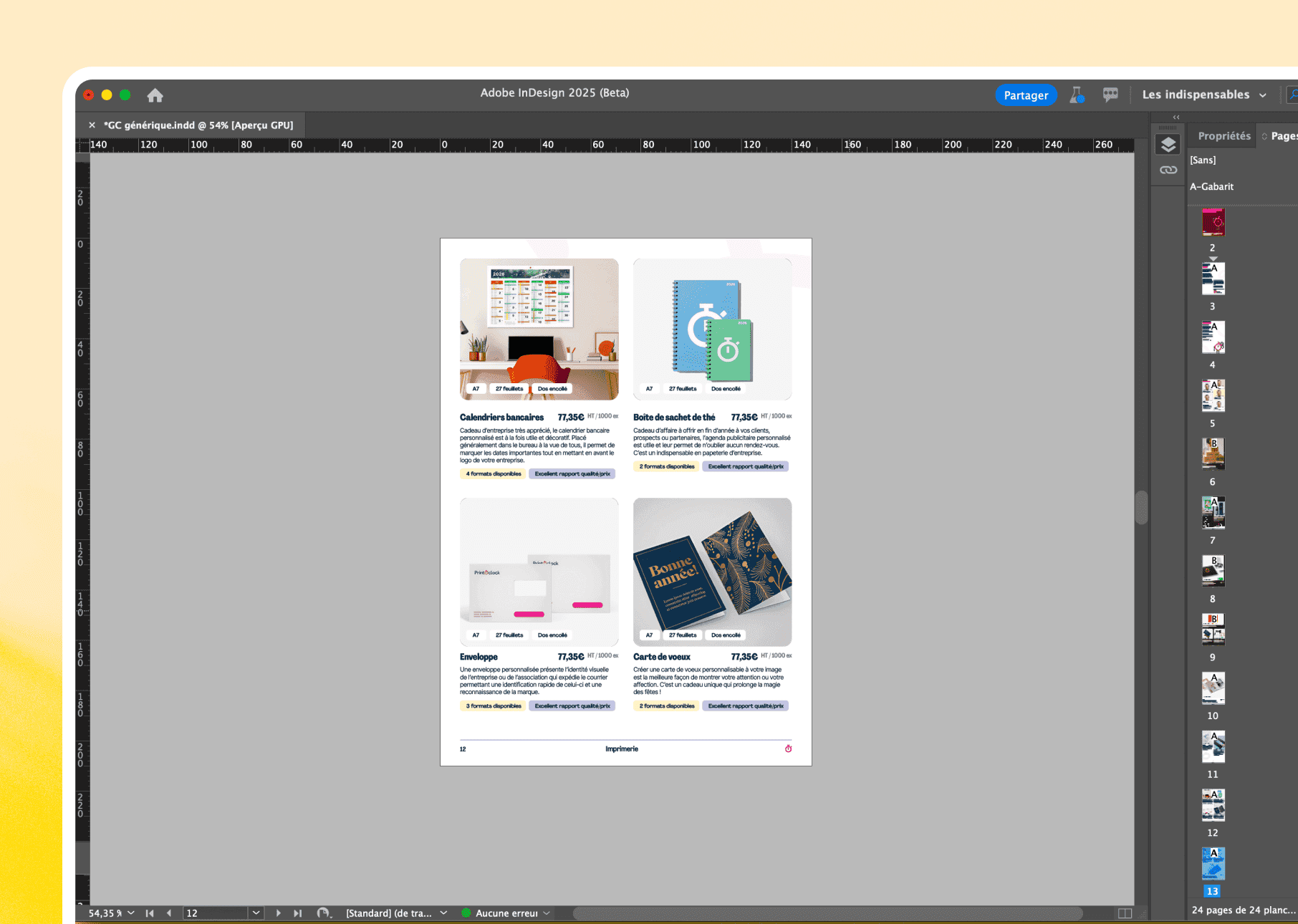
The only typesetting software accepted by professional printers. No "we'll see at the printing", just perfect PDF/X.

01
When the layout requires absolute precision
The cases where InDesign becomes essential
01 /
Seamless multi-page management
Brochures, catalogues, white papers: we structure 200+ pages with indexing, numbering, and automatic navigation.
02 /
Millimetre typography
Full control over line spacing, kerning, and baseline grids. Every detail matters.
03 /
Styles and automatic consistency
Paragraphs, characters, objects: styles ensuring consistency across 100 pages with a single click.
04 /
Perfect prints exports
PDF/X, crop marks, Pantone colour management: happy printers.
05 /
Dynamic content
Data fusion to generate 500 custom variations from a single template.
06 /
Adobe CC Integration
Retrieving visuals from Photoshop/Illustrator with layers. Modification = automatic update.
02
In what cases do we draw [our weapon]?Adobe InDesign ?
03
Why our teams useAdobe InDesign ?
"InDesign is our choice for industrial layout without compromises. InDesign does not forgive, but delivers a perfection that Canva will never know.”

Tom C.
Designer print
04
The features of Adobe InDesign
01 /
Template pages
Reusable templates for headers and footers with automatic application.
02 /
Advanced tables
Precise formatting for encrypted data, pricing, comparisons. Unbeatable.
03 /
Automatic table of contents
Generation and update in one click with page numbers included.
04 /
Link management
Tracking of all your assets. Edit a photo, refresh everywhere.
05 /
Integrated preflight
Automatic checks before printing: missing fonts, low-resolution images, and bleed.
06 /
Interactive exports
Clickable PDFs, forms, buttons for advanced digital documents.
Adobe InDesignis not alone in our toolbox

































Adobe InDesignfacing his cousins
We have done our research for you, and here is the verdict.
Criteria
InDesign
Canva
Affinity Publisher
Professional typography
Multi-page management (200+)
Export PDF/X print
Data fusion
Creative Cloud Integration
Monthly price

We anticipated your questions.
It is known that entrusting your design to an external team,
raises some questions. Here are our answers.
InDesign or Canva for a brochure?
Is it difficult to learn?
Can I create interactive PDFs?
InDesign vs Affinity Publisher?
How much does it cost?