
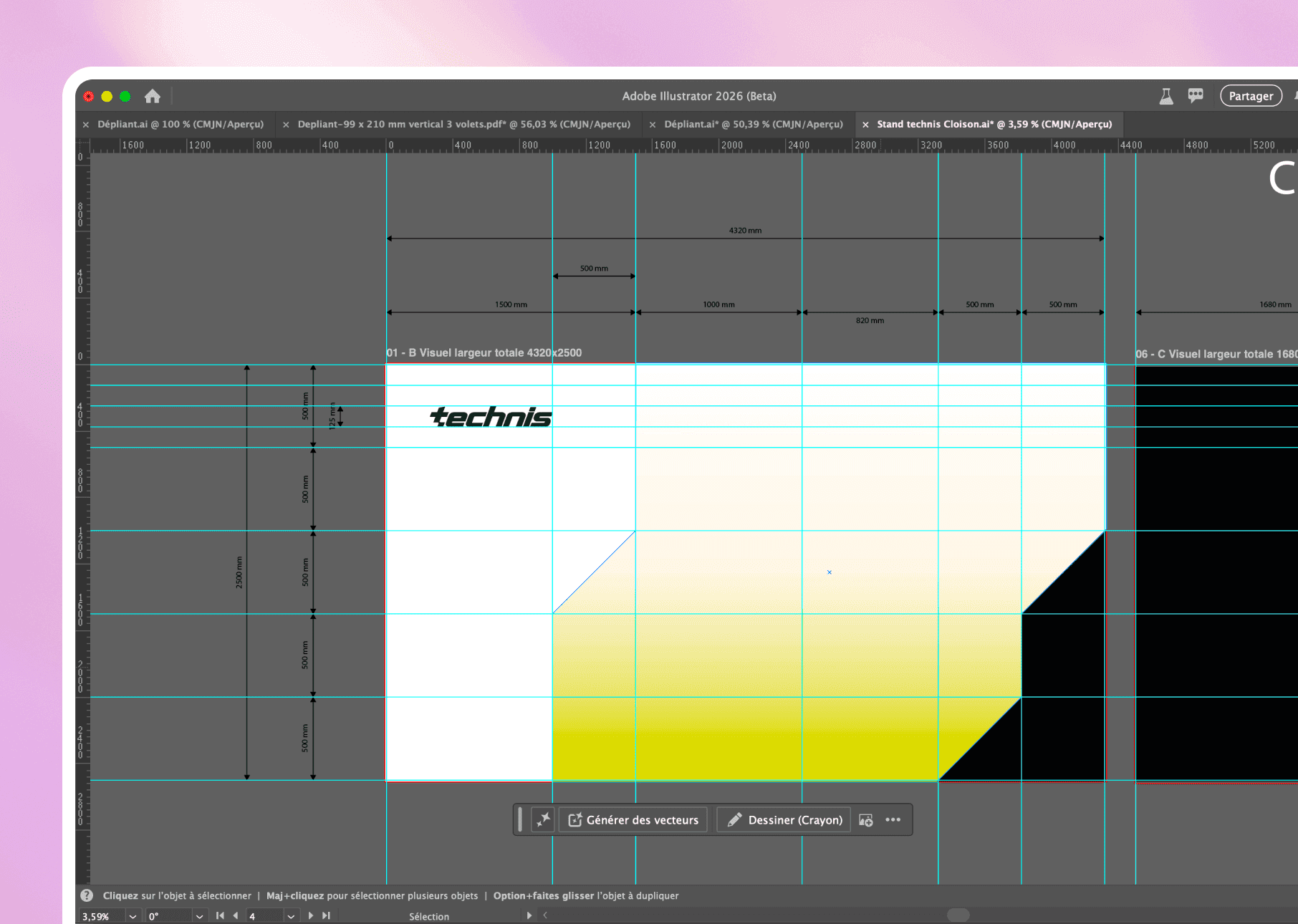
Adobe Illustrator: the vector that never pixelates, from favicon to billboard.
The pixel-based is pixelated. The vector-based calculates. We create visual identities that survive all variations.
01
Our preferred tool for creating visual identities that don’t collapse on resizing. Unlike bitmap formats (JPG, PNG), vector graphics remain sharp regardless of size. An Illustrator logo displays just as well on a business card as it does on a 4x3 meter billboard. It's mathematical, not magical.
Why Illustrator remains the absolute standard of vector design
01 /
Infinite scalability
From a 16x16px favicon to a 6-metre billboard: zero loss of quality. Vector graphics calculate Bézier curves in real-time. Your logos remain sharp, always.
02 /
Sub-pixel accuracy
Absolute control over every anchor point, every tangent. We position to within 0.01px. Grids and magnetic guides ensure perfect alignment.
03 /
Professional colour management
Pantone, CMYK, RGB, spot colours: we set the colour profiles for print and web. Your printers will have nothing to say.
04 /
Millimetre typography
Text vectorization, advanced ligatures, manual kerning: control over each character. Fonts remain editable or convertible to curves for export.
05 /
Exports multiple formats
SVG for the web, EPS for printing, interactive PDF, high-resolution PNG: a single source file for all delivery formats. Automated via the work plans.
06 /
Integrated generative AI (Adobe Firefly)
Generative shape filling, text to vector, generative development: AI accelerates creation while remaining 100% editable. Your iterations go from 2 hours to 12 minutes.
02
In what cases do we draw [our weapon]?Adobe Illustrator ?
03
Why our teams useAdobe Illustrator ?
"Illustrator is our command terminal for vector design. We do not create images; we build scalable graphic systems. Every logo we produce must survive 10 years of variations.”

Justine L.
Designer
04
The features of Adobe Illustrator
01 /
Feather and advanced traces
The Pen tool remains the benchmark: Bézier curves, anchor points, tangents. We draw complex shapes with surgical precision.
02 /
Pathfinder and Boolean Shapes
Union, subtraction, intersection, exclusion: we combine shapes to create complex geometries. Essential for clean logos.
03 /
Gradients of shapes and fillets
Vector gradients, gradient meshes, transparencies: we create visual effects while maintaining scalability. Unlike Photoshop, it remains mathematical.
04 /
Multiple worktops
We structure an entire project: main logo, variations, icons, mockups. Each workspace is exported individually. Only one source file.
05 /
Creative Cloud Libraries
Symbols, colours, graphic styles synchronized between Illustrator, Photoshop, InDesign. We build cohesive multi-platform design systems.
06 /
Automatic vectorization
We transform a scanned sketch or a pixelated image into an editable vector. The new 2024 version reduces the number of anchor points: lighter files, cleaner curves.
Adobe Illustratoris not alone in our toolbox





















Adobe Illustratorfacing his cousins
We have done our research for you, and here is the verdict.
Criteria
Illustrator
Photoshop
Affinity Designer
Working format
Infinite scalability
Generative AI (Firefly)
Creative Cloud Integration
Price (monthly)
Learning curve

We anticipated your questions.
It is known that entrusting your design to an external team,
raises some questions. Here are our answers.
Illustrator or Photoshop to create a logo?
What is the difference between vector and matrix?
Do you deliver the Illustrator source files?
Does Firefly really replace a designer?
Is Illustrator compatible with Figma/Framer?