

Airtable: the turbo of no-code databases, for those who want to automate without struggling
Say goodbye to archaic spreadsheets. Switch to Airtable: the tool that transforms your data management into an industrial workflow, without a line of code.
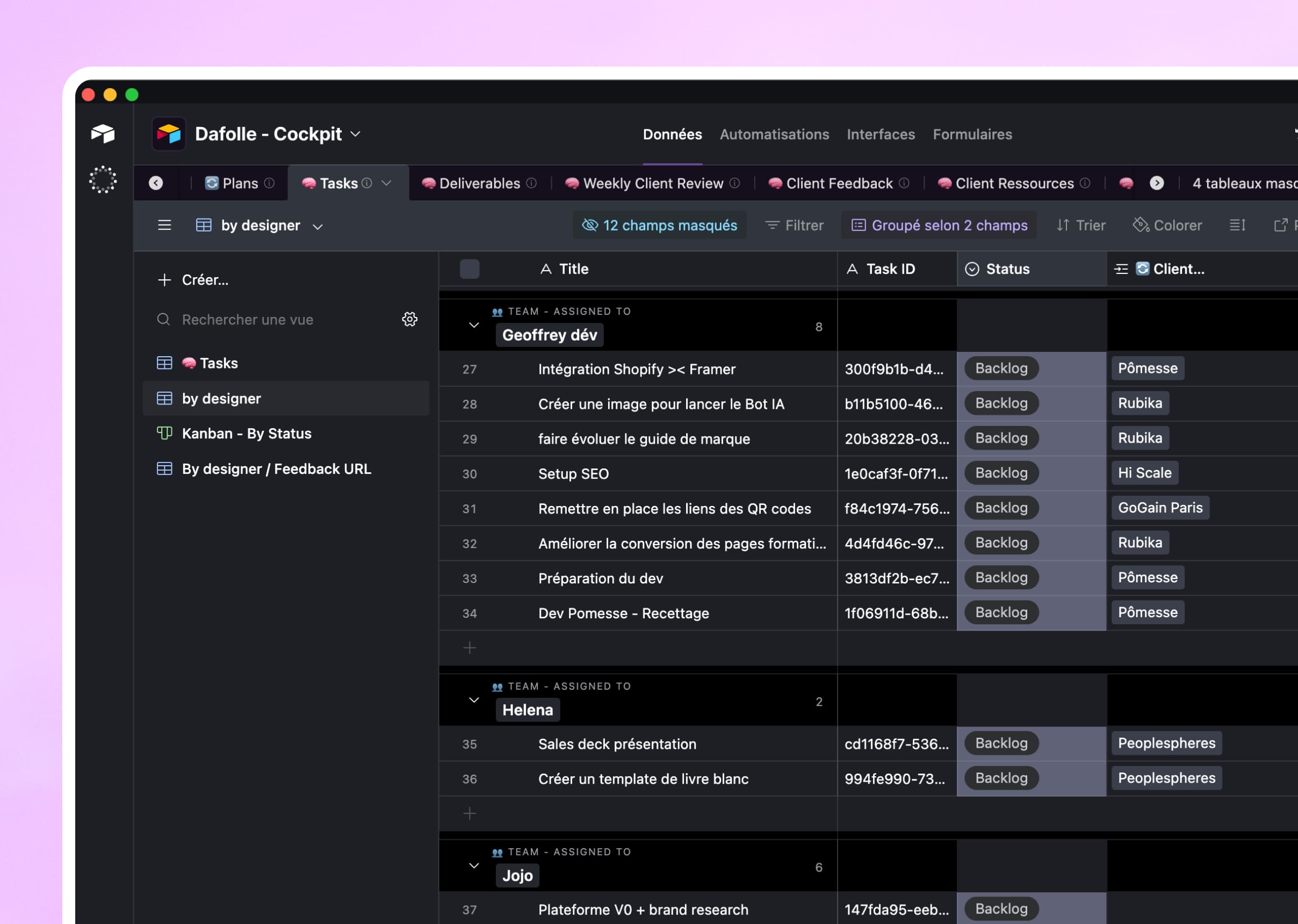

01
To structure our client and project data
Our use of Airtable at Dafolle
01 /
Spreadsheet interface
Easy as Excel, powerful as a database.
02 /
Relationships between tables
We connect clients, projects, tasks, invoices...
03 /
Multiple views
Grid, Kanban, Calendar, Gallery: adaptable.
04 /
Automations
Actions triggered on conditions.
05 /
Forms
We collect data from outside.
06 /
complete API
We connect to all our tools.
02
In what cases do we draw [our weapon]?Airtable ?
03
Why our teams useAirtable ?
"Airtable is our source of truth. All our projects, clients, and tasks are there. It’s our operational backbone.”

Clara Champion
Co-founder
04
The features of Airtable
01 /
Linked records
One-to-many, many-to-many relationship.
02 /
Rollups & formulas
Automatic calculations and aggregations.
03 /
Interfaces
Custom dashboards for our clients.
04 /
Permissions
Granular access control.
05 /
Extensions
Integrated third-party apps.
06 /
Synchronization
Synchronization with Google Sheets.
Airtableis not alone in our toolbox



































Airtablefacing his cousins
We have done our research for you, and here is the verdict.
Criteria
Airtable
Google Sheets
Notion
Database Structure
Interface
Automations
Collaboration
Price
API

We anticipated your questions.
It is known that entrusting your design to an external team,
raises some questions. Here are our answers.
Can Airtable replace Excel?
Can I create an app with?
Is it suitable for thousands of lines?
Can I import from Excel?
How much does it cost?