

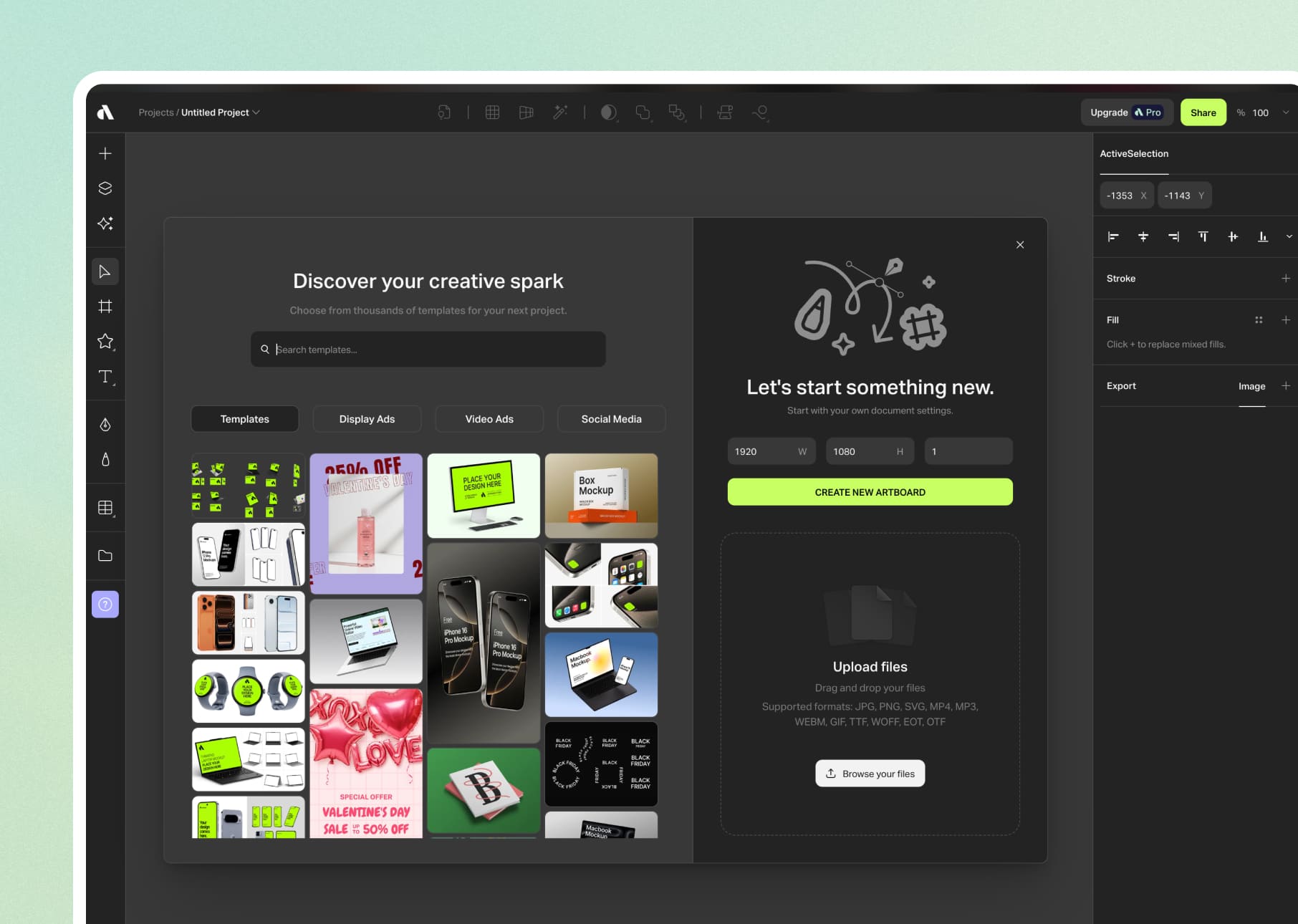
Stunning 3D mockups in 2 minutes. No Photoshop. No 3D skills required.
Hundreds of customizable 3D mockups (iPhone, MacBook, packaging, apparel) with drag & drop. Animations with timeline. 4K exports. Native Figma plugin. 2 minutes for a studio render.

01
Because we stopped wasting 45 minutes on Photoshop for an iPhone mockup.
Why Artboard Studio killed our Photoshop templates
01 /
3D mockups in real time
Drag and drop your design, adjust the angle, export in 4K. 2 minutes flat.
02 /
Library that grows
Devices, packaging, apparel, print: hundreds of ready-to-customize templates.
03 /
Smooth animations
Timeline + keyframes = animated mockups for your case studies. Exports in MP4.
04 /
Zero installation
Everything is in the browser. No 2GB .psd file that freezes your Mac.
05 /
Native Figma plugin
Transform your Figma frames into 3D mockups without leaving the interface.
06 /
Automation batch
Change a design, it propagates across all your mockups. No more manual updates.
02
In what cases do we draw [our weapon]?Artboard Studio ?
03
Why our teams useArtboard Studio ?
"Artboard Studio is the tool we launch when we want a striking mockup without opening Photoshop. For client presentations or case studies, it offers the perfect time/render ratio.”

Alexandra C.
Designer
04
The features of Artboard Studio
01 /
Intuitive visual editor
Drag & drop interface. Adjust perspective, shadows, and reflections with a few clicks.
02 /
High resolution exports
JPG, PNG or MP4 in 4K. Ready for print or web.
03 /
Smart layers
Your design automatically adapts to the proportions of the mockup. No distortion.
04 /
Customisable scenes
Choose background, lighting, depth of field. Studio rendering without a photographer.
05 /
Collaborative sharing
Shareable link for client validation. They can view the mockup without creating an account.
06 /
Categorized templates
iPhone, MacBook, tote bags, business cards: everything is organized by project type.
Artboard Studiois not alone in our toolbox


































Artboard Studiofacing his cousins
We have done our research for you, and here is the verdict.
Criteria
Artboard Studio
Photoshop Templates
Mockup.io
Creation speed
Video animations
Evolving library
Figma Plugin
Learning curve
Price

We anticipated your questions.
It is known that entrusting your design to an external team,
raises some questions. Here are our answers.
Does Artboard Studio replace Photoshop for mockups?
Can I animate my mockups?
Is it free or paid?
Does it work with Figma?
Are the mockups realistic?